Live in any browser
Open the address shown in the app on your laptop, tablet or a big monitor. Nothing to install on the viewing side.
Mount your Android phone above the bench and watch a sharp, live close-up of your work on any screen. Stream to any browser on your Wi-Fi, with no cables, no extra hardware and no account.
 LIVE
LIVE
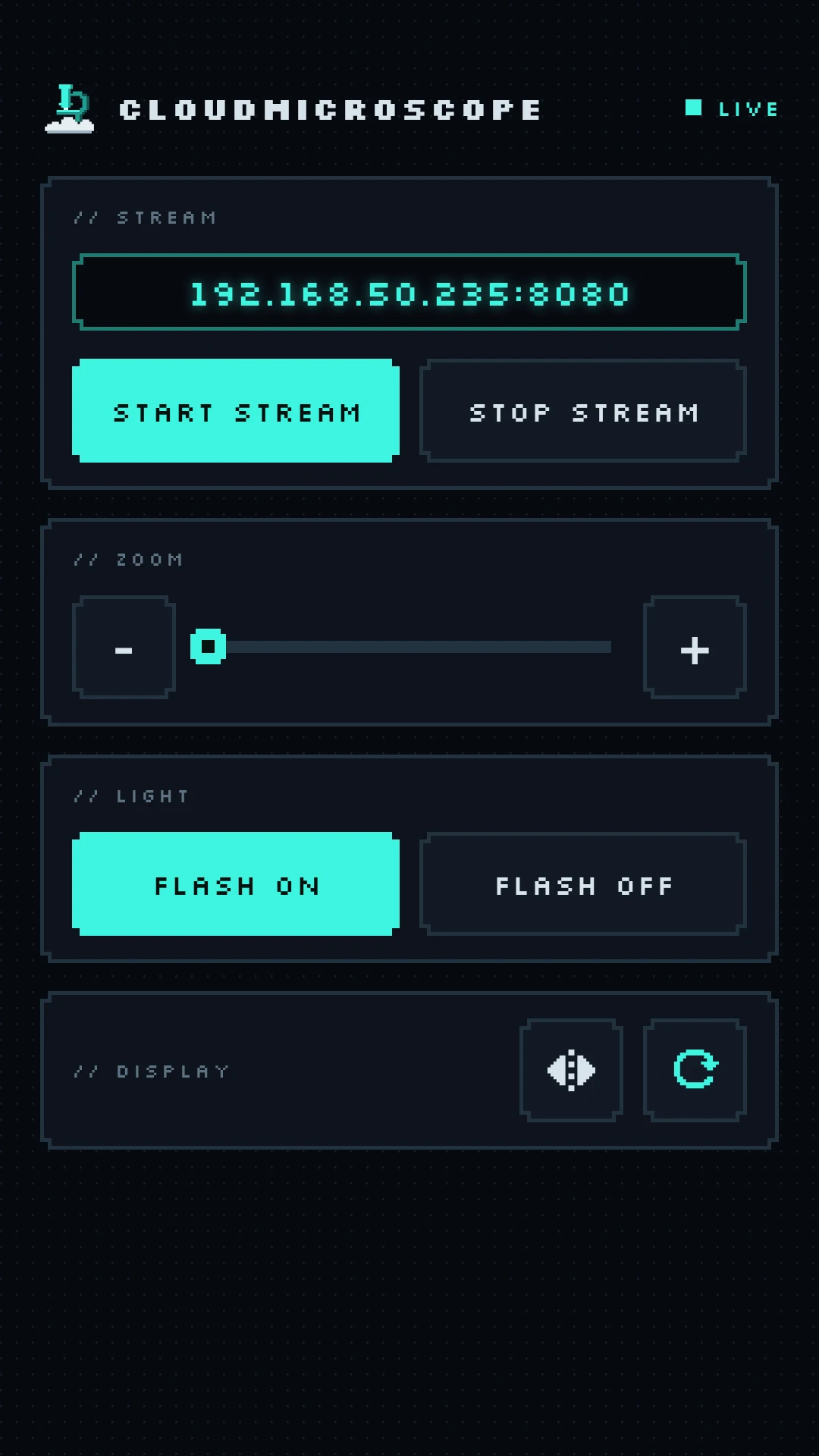
Tap Start Stream, open the address in your browser and get soldering.
Control the camera from the app or straight from the browser. Both stay in sync.
Open the address shown in the app on your laptop, tablet or a big monitor. Nothing to install on the viewing side.
High-resolution video at up to 30 frames per second, so you can read part markings and check every joint.
Click any spot in the video to focus right there. Focus stays locked, so it won't hunt when your iron moves in.
Zoom in on tiny SMD parts with the slider, from the phone or the browser.
Light up dark corners of a board with the phone's LED, toggled from wherever you're watching.
Flip the view left to right with one tap, so what you see matches how your hands move.
Hold it steady above your work with a phone stand or a flexible arm, camera pointing down.
Open CloudMicroscope, allow camera access and tap Start Stream.
On any device on the same Wi-Fi, go to the address shown in the app, like 192.168.1.20:8080.
Your video goes straight from your phone to your screen over your own network. Nothing is recorded, saved or uploaded, and there's no account to create.
Any Android phone running Android 7.0 or newer with a back camera.
Just a web browser. The phone and the computer must be on the same Wi-Fi network.
Connect your phone to a 5 GHz Wi-Fi network if your router has one. It's much faster than 2.4 GHz and gives the smoothest video. Good lighting, or the flash, also helps.
Only devices on the same local network that know the address shown in the app, and only while streaming is on. Stream on networks you trust, and tap Stop Stream when you're done.
Yes. CloudMicroscope is free and shows a small ad in the app. The stream page in your browser has no ads.

Turn the phone in your pocket into a wireless soldering microscope.
Get it onGoogle Play